1. From Custom Fields, select New.
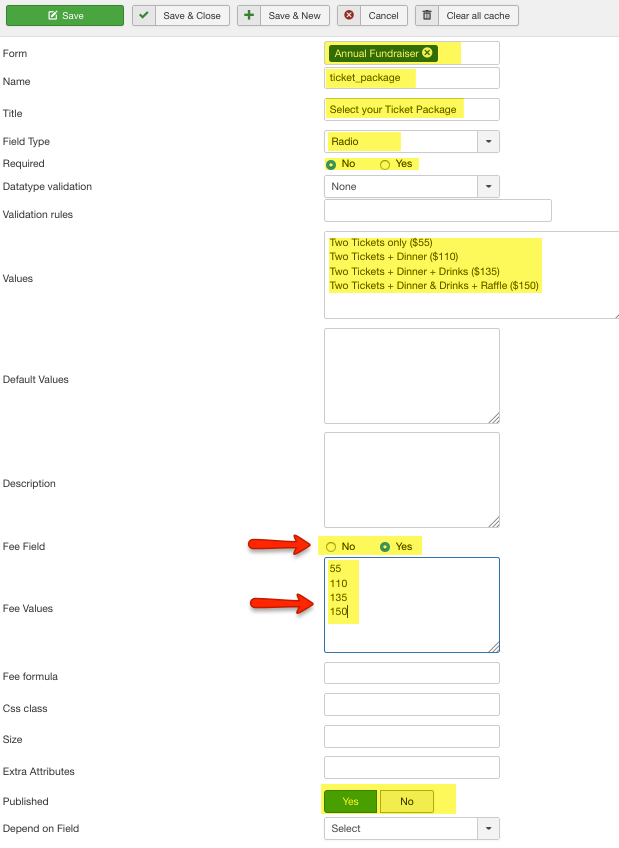
2. Complete the highlighted fields. For a fee field you must select Fee Field and enter Fee Values. Then Save & Close.
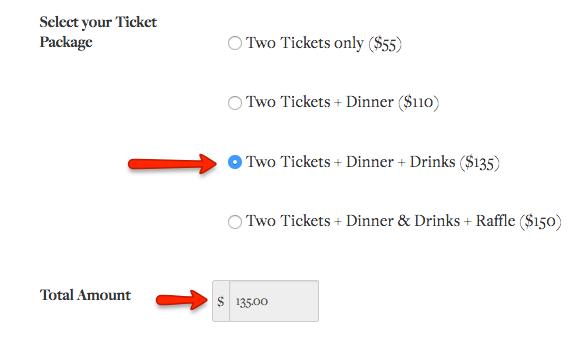
3. Here is how it will look on the front end.
4. We recommend emailing

1. From Custom Fields, select New.
2. Complete the highlighted fields. For a fee field you must select Fee Field and enter Fee Values. Then Save & Close.
3. Here is how it will look on the front end.
4. We recommend emailing